
1
Planning

- Understand Client’s Vision and Goals: Discuss the client’s objectives, target audience, and key features they desire.
- Budget and Timeline: Establish the budget and timeframe for the project.
- Market Research: Analyze competitors’ websites and industry trends.
- Target Audience: Define the demographics, behaviors, and needs of the target audience.
- SWOT Analysis: Identify strengths, weaknesses, opportunities, and threats related to the project.
- Functional Requirements: List the features and functionalities needed (e.g., e-commerce, user accounts, blog).
- Technical Requirements: Specify the technology stack, hosting, and other technical needs.
- Content Requirements: Determine the type and amount of content (text, images, videos) required.
- Sitemap Creation: Develop a sitemap to outline the structure of the website.
- Content Strategy: Plan the content creation, organization, and distribution.
- Wireframing: Create wireframes to visualize the layout and user interface.
- Branding and Style Guide: Ensure consistency with the client’s branding, including color schemes, typography, and logos.
- Mockups: Develop visual mockups of key pages to show the design direction.
- User Experience (UX): Focus on creating an intuitive and engaging user experience.
- Technical Architecture: Plan the backend and frontend architecture, including databases, servers, and frameworks.
- Development Workflow: Define the stages of development, from initial coding to testing and deployment.
- Integration: Plan for third-party integrations (e.g., payment gateways, APIs).
- Content Development: Write, gather, and organize content based on the content strategy.
- SEO Strategy: Plan for search engine optimization, including keyword research and meta tags.
- Documentation: Keep detailed documentation throughout the planning and development process.
- Communication: Maintain clear and consistent communication with the client at all stages.
- Flexibility: Be prepared to adjust the plan as needed based on feedback and changing requirements.

2
Wireframing
- Visual Blueprint: Provides a visual representation of the website’s structure and layout.
- User Flow: Helps illustrate the user journey and interaction with different elements.
- Feedback Tool: Serves as a tool for gathering client and stakeholder feedback early in the design process.
- Gather Requirements: Collect all necessary information from the client, including project goals, key features, and user personas.
- Research and Inspiration: Look at competitor websites, industry standards, and design trends to gather inspiration and best practices.
- Define Goals: Establish clear goals for the wireframe, such as improving user experience, highlighting key content, and ensuring ease of navigation.
- Wireframing Software: Select appropriate tools (e.g., Sketch, Figma, Adobe XD, Balsamiq) based on the project needs and team preferences.
- Template Selection: Decide whether to use pre-made templates or start from scratch.
- Grid System: Establish a grid system to maintain consistency and alignment across the layout.
- Hierarchy: Define the visual hierarchy to prioritize content and guide the user’s attention.
- Basic Elements: Sketch out the basic elements such as headers, footers, navigation bars, and placeholders for content.
- User Flow: Map out the user journey through the wireframe to ensure a seamless and intuitive experience.
- Accessibility: Consider accessibility guidelines to ensure the design accommodates all users, including those with disabilities.
- Consistency: Maintain consistency in design elements to create a cohesive user experience.
- Client Feedback: Present the wireframe to the client and gather their feedback. Make sure to explain the rationale behind design decisions.
- Stakeholder Review: Get input from other stakeholders such as developers, content creators, and marketing teams.
- Revise and Refine: Iterate on the wireframe based on feedback, making necessary adjustments and improvements.
- Annotations: Add detailed notes and explanations for each element in the wireframe to clarify functionality and purpose.
- Documentation: Create comprehensive documentation to accompany the wireframe, including design guidelines, user flow diagrams, and technical specifications
- Clarity: Keep wireframes simple and focused on structure rather than detailed design.
- Collaboration: Encourage collaboration and communication among all team members and stakeholders.
- Flexibility: Be open to changes and ready to iterate based on feedback and evolving project requirements.

3
Mockups
- Visual Realism: Provides a high-fidelity visual representation of the final website.
- Design Validation: Allows for early validation of design choices before development begins.
- Client Approval: Serves as a tool for presenting the design to the client for feedback and approval.
- Gather Design Assets: Collect all necessary design assets, such as logos, images, and brand guidelines.
- Review Wireframes: Use the wireframes as a blueprint to guide the mockup process, ensuring the layout and structure are maintained.
- Understand Requirements: Revisit the project goals, target audience, and key features to align the mockups with the overall objectives.
- Design Software: Choose appropriate design tools (e.g., Adobe XD, Sketch, Figma, Photoshop) based on project needs and team preferences.
- Template Usage: Decide whether to use pre-made design templates or create custom designs from scratch.
- Design Layouts: Develop detailed layouts for each key page (e.g., homepage, about page, contact page, product pages) with all visual elements.
- Incorporate Branding: Apply the client’s branding elements, including color schemes, typography, and logos, to ensure brand consistency.
- Add Visual Details: Include detailed visual elements such as images, icons, buttons, and background textures.
- Consistency: Ensure consistency in UI elements like buttons, input fields, and navigation menus across all pages.
- Spacing and Alignment: Pay attention to spacing, alignment, and proportions to create a balanced and aesthetically pleasing design.
- Interactive Elements: Design interactive elements (e.g., hover states, clickable buttons) to visualize user interactions.
- Client Feedback: Present the wireframe to the client and gather their feedback. Make sure to explain the rationale behind design decisions.
- Stakeholder Review: Get input from other stakeholders such as developers, content creators, and marketing teams.
- Revise and Refine: Iterate on the wireframe based on feedback, making necessary adjustments and improvements.
- Annotations: Add detailed annotations to explain design decisions, interactions, and functionalities to the development team.
- Style Guide: Create a comprehensive style guide that includes color palettes, typography, spacing rules, and UI components.
- Design Assets: Organize and provide all design assets (e.g., images, icons, fonts) to the development team.
- Attention to Detail: Focus on visual details to create a polished and professional design.
- Client Collaboration: Maintain clear and open communication with the client throughout the process to ensure alignment with their vision.
- Flexibility: Be prepared to make revisions based on feedback and evolving project requirements, ensuring the final design meets all expectations.
4
Prototyping
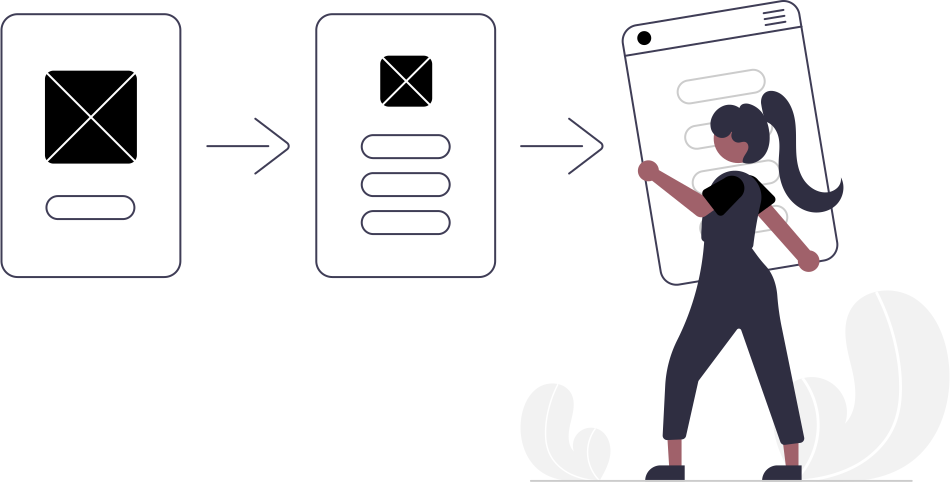
- Helps in visualizing the end product early in the design process.
- Identifies potential issues and allows for corrections before development begins.
- Saves time and resources by preventing costly changes during development.
- Wireframing Tools: Balsamiq, Axure, Sketch.
- Mockup Tools: Adobe XD, Figma, Sketch
- Interactive Prototyping Tools: InVision, Marvel, Proto.io
- Low-Fidelity Prototypes: Simple and quick sketches or wireframes to test basic ideas.
- High-Fidelity Prototypes: Detailed and interactive prototypes that closely resemble the final product.
- Client Feedback: Allows clients to provide feedback early in the process.
- User Testing: Facilitates user testing and usability studies to improve user experience.
- Design Iteration: Enables multiple iterations to refine and perfect the design.
- Stakeholder Alignment: Ensures all stakeholders have a clear understanding of the project vision.
- Requirement Gathering: Understanding the client’s needs, goals, and target audience.
- Sketching: Creating rough sketches of the website layout and structure.
- Wireframing: Developing detailed wireframes to outline the basic structure and navigation.
- Mockups: Designing high-fidelity mockups to present the visual style and aesthetics.
- Interactive Prototypes: Building clickable prototypes to simulate user interactions.
- Prototyping is an essential phase in web development that bridges the gap between concept and execution.
- By visualizing and testing ideas early, teams can build stunning websites that meet client expectations and deliver a superior user experience.
5
Presentation

- Welcome and Introduction: Brief introduction of ourself and our team
- Objective: Outline the goal of the presentation - to showcase the completed website.
- SAgenda: Provide a quick overview of what will be covered in the presentation.
- Initial Requirements: Recap the client’s initial requirements and objectives for the website.
- Project Timeline: Briefly review the timeline and key milestones achieved during the project.
- Homepage Walkthrough: Demonstrate the homepage, highlighting key features, design elements, and navigation.
- Content Pages: Walkthrough of major content pages, showcasing layout and content organization.
- Special Features: Highlight any special features or functionalities such as forms, interactive elements, or custom integrations.
- Performance: Discuss website loading times, optimizations, and performance metrics
- SEO: Outline the SEO strategies implemented to improve the website’s visibility in search engines.
- Security: Explain the security measures taken to protect the website and user data.
- Analytics Integration: Show how website analytics have been integrated (e.g., Google Analytics).
- Reporting: Explain how the client can access and interpret website performance reports.
- Training Resources: Provide information on training materials or sessions available to the client
- Ongoing Support: Explain the support services offered post-launch, including maintenance plans and troubleshooting.
- Open Floor for Questions: Invite the client to ask any questions or express concerns.
- Feedback: Encourage the client to provide feedback on the website and the presentation.
6
Version Control
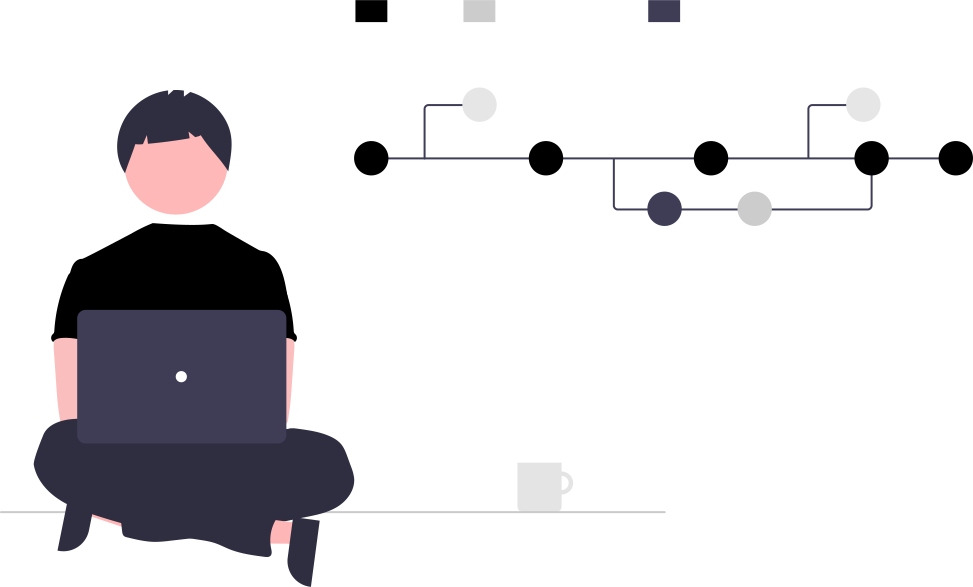
- Version Control System (VCS): Software that helps manage changes to source code over time.
- Purpose: To track revisions, collaborate efficiently, and maintain code integrity.
- Collaboration: Multiple developers can work on the same project simultaneously.
- Backup and Restore: Previous versions of the code can be restored if needed.
- Version History: Detailed logs of changes, who made them, and why.
- Branching and Merging: Work on different features independently and merge changes seamlessly.
- Git: The most widely used DVCS, known for its performance, flexibility, and strong community support.
- Subversion (SVN): A popular CVCS, known for its simplicity and ease of use.
- Mercurial: Another DVCS, similar to Git but with a focus on ease of use and performance.
- Repository (Repo): A database storing the files and their revision history.
- Commit: Recording changes in the repository, creating a new version of the project.
- Branch: A parallel version of the repository to work on different features or fixes.
- Merge: Combining changes from different branches.
- Pull/Push: Fetching changes from the repository or uploading local changes to the repository.
- Initialize Repository: Set up a new repository for the project.
- Clone Repository: Copy an existing repository to the local machine.
- Create Branches: Develop new features or fixes on separate branches.
- Commit Changes: Save changes to the repository with descriptive messages.
- Merge Branches: Integrate changes from different branches
- Pull Requests: Review and approve changes before merging into the main branch.
- Project Setup: Initialize a repository for the web project.
- Continuous Integration/Continuous Deployment (CI/CD): Automate testing and deployment using version control triggers.
- Collaboration Tools: Use platforms like GitHub, GitLab, or Bitbucket for managing repositories and collaboration.
- Issue Tracking: Link code changes to specific tasks or issues to track progress and improve project management.
- Importance of Version Control: Essential for maintaining code quality, ensuring team collaboration, and managing the development lifecycle efficiently.
- Continuous Improvement: Regularly update and improve version control practices to adapt to the project's evolving needs and ensure the delivery of a stunning website to the client.
7
Hosting

- Definition: Hosting refers to the service of providing storage space and access for websites on the internet.
- Purpose: Enables a website to be accessible to users worldwide, 24/7.
- Storage Space: Amount of data storage available for website files
- Bandwidth: Volume of data transfer allowed between users and the website.
- Uptime: Percentage of time the hosting service is operational. Higher uptime is crucial for reliability.
- Security: Protection against cyber threats, including firewalls, SSL certificates, and regular backups.
- Support: Customer service available to assist with technical issues and inquiries.
- Performance: Fast loading times and reliable performance enhance user experience.
- Scalability: Ability to handle increased traffic as the website grows.
- Customization: Options for software, configurations, and tools that match specific website needs.
- SEO Benefits: Reliable hosting can improve search engine rankings due to better performance and uptime.
- Enhanced Performance: Faster loading times improve user experience and reduce bounce rates.
- Better Security: Advanced security measures protect against data breaches and cyber attacks.
- Technical Support: Access to expert support for troubleshooting and maintaining the website.
- Scalability: Easily upgrade resources to handle increased traffic and content.
- Reliability: High uptime ensures the website is always accessible to users.
- Assess Client Needs: Determine the specific requirements based on website size, expected traffic, and functionality.
- Budget Consideration: Align hosting options with the client’s budget constraints.
- Research Hosting Providers: Evaluate providers based on reliability, performance, customer reviews, and support.
- Select Hosting Type: Choose the appropriate type of hosting (shared, VPS, dedicated, etc.) based on the client’s needs.
- Setup and Configuration: Configure the hosting environment, including domain setup, SSL installation, and server settings.
- Ongoing Maintenance: Regular updates, backups, and monitoring to ensure continuous performance and security.
- Hosting is a crucial component in the process of building a stunning website for clients.
- By selecting the right hosting service, businesses can ensure optimal performance, security, and scalability, ultimately leading to a better user experience and achieving their online objectives.
8
Launching

- Final Review and Testing
- Conduct a comprehensive review of the website’s functionality, design, and content.
- Test all features and functionalities to ensure they work seamlessly across different browsers and devices.
- Implement a thorough QA process to identify and fix any bugs or issues.
- Ensure all multimedia elements (images, videos) are optimized and appropriately placed.
- SEO Optimization.
- Ensure all on-page SEO elements (meta tags, alt text, URL structure) are in place.
- Submit the website’s sitemap to search engines for indexing.
- Analytics Setup.
- Integrate analytics tools (e.g., Google Analytics) to track website performance.
- Security Plugins.
- Install and configure security plugins or tools to protect against cyber threats.
- Ensure all software, plugins, and themes are up-to-date to prevent vulnerabilities.
- Firewall and DDoS Protection
- Set up a firewall and enable DDoS protection to safeguard the website.
- DNS Propagation.
- Confirm DNS changes have propagated correctly and the site is accessible globally.
- Perform a final round of testing, including checking all links, forms, and interactive elements.
- Prepare and schedule announcements via email newsletters, social media, and press releases.
- Monitor website performance and traffic closely in the initial days post-launch.
- Provide ongoing support to address any immediate issues or feedback.
- Gather user feedback to identify any potential improvements.
- Plan for regular updates and improvements based on analytics data and user feedback.
- Training sessions to the client on how to manage and update the website.
- Documentation.
- Deliver comprehensive documentation covering all aspects of the website, including maintenance procedures and troubleshooting guides.
- Officially hand over the website to the client, ensuring they have all necessary access credentials and information.